Handyman Services: Stop Losing $700/Week to Schedule Chaos and Customers Who Give Up Waiting
You run 6-8 jobs a day. Every job runs a little long. Every next customer is texting 'are you still coming?' ArrivalLink sends live ETA updates automatically — so your schedule flexes without your phone exploding.
Text Message
Your technician Tony G. is on the way! Track live: arrivallink.com/tr...
The Real Problem
Why Handyman Services Lose Customers Before the Job Even Starts
These four problems cost the average plumbing company over $40,000 a year in lost revenue and bad reviews.
Every Job Runs Long, and the Whole Day Cascades
A 'quick faucet fix' turns into a 90-minute ordeal. Now your 2 PM, 3 PM, and 4 PM customers are all waiting with no update. By the end of the day, three people are annoyed and you've lost tomorrow's referrals.
Your Phone Buzzes Non-Stop Between Jobs
With 6-8 customers per day, you're fielding 15+ 'where are you?' texts and calls. You're trying to drive, trying to work, and trying to respond. Something's going to slip — and it's usually the customer experience.
Small Jobs, Big Review Impact
A $150 handyman job doesn't feel like much — until the frustrated customer leaves a 1-star review that costs you $2,000 in lost future bookings. In handyman work, every review punches above its weight.
Cancelled Afternoon Jobs Kill Your Daily Revenue
When your 3 PM job cancels because they 'gave up waiting,' you can't fill that slot. That's $100-$200 in lost revenue — happening 2-3 times per week across your team.
What if homeowners could watch your plumber arrive — like tracking an Uber?
The Solution
Three Steps. Zero Guesswork. Happy Customers.
Build Your Daily Route in Minutes
Drop jobs into the scheduling board by time and location. ArrivalLink automatically sends each customer a confirmation text with their estimated arrival window and a live tracking link.
Customers Track You Between Jobs
No app. No account. Each customer gets a link showing your real-time location, their position in the queue, and a dynamic ETA that updates as your day progresses. They know you're coming — so they stop texting.
Job Done, Review Collected, Next Stop Queued
Mark the job complete, and ArrivalLink simultaneously sends a review request to the finished customer and an 'on my way' update to the next one. Your day flows. Your reviews stack.
Build Your Daily Route in Minutes
Drop jobs into the scheduling board by time and location. ArrivalLink automatically sends each customer a confirmation text with their estimated arrival window and a live tracking link.
Customers Track You Between Jobs
No app. No account. Each customer gets a link showing your real-time location, their position in the queue, and a dynamic ETA that updates as your day progresses. They know you're coming — so they stop texting.
Job Done, Review Collected, Next Stop Queued
Mark the job complete, and ArrivalLink simultaneously sends a review request to the finished customer and an 'on my way' update to the next one. Your day flows. Your reviews stack.
The Results
What Happens When You Stop Guessing and Start Tracking
Based on average results from service teams using ArrivalLink for live dispatch tracking and automated customer communication.
How It Works For You
The Tools That Turn Solo Handymen Into Booked-Out Businesses
Live GPS Tracking That Keeps a Packed Schedule Running Smooth
Every customer on your daily route gets a personalized tracking link. They see your real-time location, a dynamic ETA that adjusts as your day progresses, and your name and photo. No more guessing. No more 'where are you?' texts.
- Dynamic ETA updates as your schedule shifts
- Branded with your company name and logo
- Your name, photo, and job type displayed
- Works on any phone — no app download needed

Smart Scheduling Built for High-Volume Days
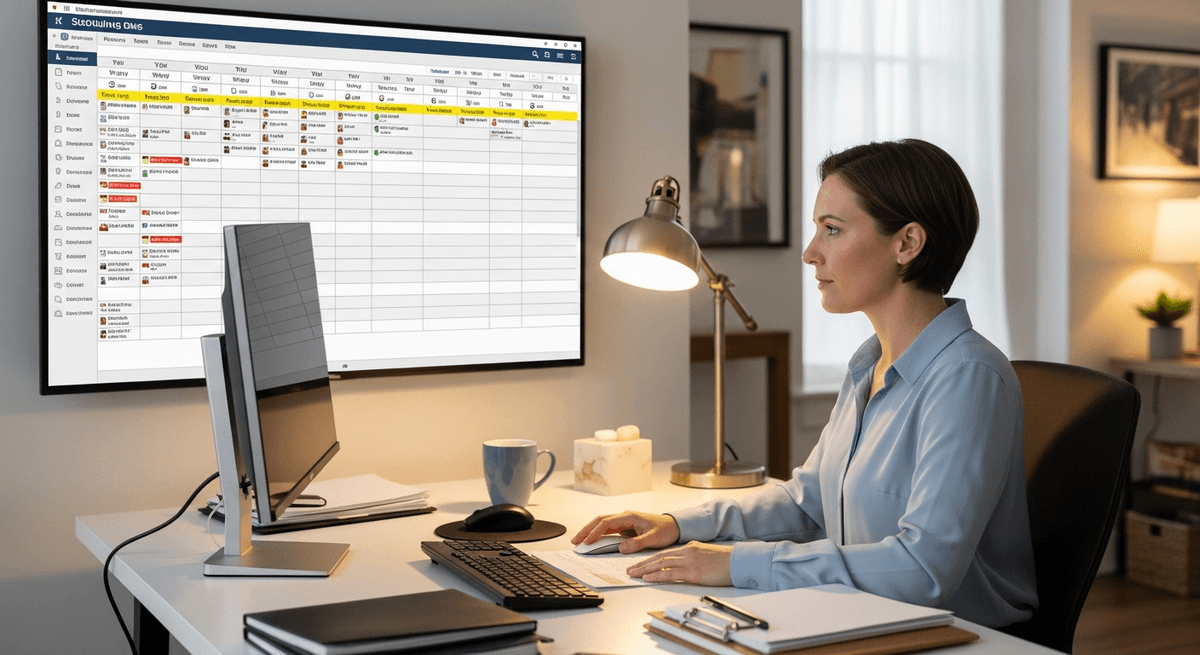
Running 6-8 jobs a day means every minute counts. ArrivalLink's board lets you build optimized daily routes, set realistic time buffers, and automatically cascade ETA updates when one job runs long. Your whole day stays on track.
- Route-optimized daily scheduling board
- Automatic ETA cascade when jobs run long
- Buffer time settings between appointments
- One-tap rescheduling with automatic customer notification
Automated Reviews That Turn Small Jobs Into Big Reputation
You do 6-8 jobs a day. That's 30-40 review opportunities per week. ArrivalLink sends a request after every single job — turning your high-volume schedule into a review-generating machine that dominates local search.
- Automated post-job review request via SMS
- Smart routing: happy → Google, unhappy → private feedback
- High-volume collection matches your high-volume schedule
- Review dashboard shows weekly review velocity

Turn Happy Customers into 5-Star Reviews
Don't let great service go unnoticed. ArrivalLink automatically asks for a review the moment the job is done—while the customer is still smiling.
Instant SMS Requests
We text the customer a review link immediately after the tech marks the job complete.
Filter Negative Feedback
Unhappy customers are guided to a private feedback form, keeping bad reviews off Google.
Chaos-Free Dispatching
Ditch the whiteboards and spreadsheets. Assign jobs in seconds, notify your team instantly, and see exactly where everyone fits in the day.
- 1
Visual Drag-and-Drop
Easily move jobs between technicians or time slots. No confusion.
- 2
Instant Tech Notifications
When you assign a job, your tech gets a text with all the details.
- 3
Real-Time Status Updates
See when jobs are started, en route, or completed—live on the board.
How It Works
Up and Running in Minutes
Set Up Your Team
Create your company account and invite your technicians via a secure link. No app install required.
Tech Starts a Trip
Your tech enters the customer's name and phone, taps Start. GPS broadcasting begins immediately.
Customer Tracks Live
Customer receives an SMS with a tracking link — live map, ETA, and a call button. No app needed.
Tech Arrives
Tech taps Arrived. Trip is logged automatically. The customer can rate their experience.
Set Up Your Team
Create your company account and invite your technicians via a secure link. No app install required.
Tech Starts a Trip
Your tech enters the customer's name and phone, taps Start. GPS broadcasting begins immediately.
Customer Tracks Live
Customer receives an SMS with a tracking link — live map, ETA, and a call button. No app needed.
Tech Arrives
Tech taps Arrived. Trip is logged automatically. The customer can rate their experience.
Built for Small Teams
One Tool. One Job. Done Right.
ArrivalLink is not a CRM. Not a dispatch tool. Not an invoicing platform. It's laser-focused on one thing: giving your customers a professional arrival experience.
What we replace
- Texting customers "he's 15 minutes away"
- "Where's my tech?" phone calls
- Guessing when your team will arrive
What we add
- Automated SMS tracking links
- Real-time GPS on a branded map
- One-tap tech workflow
Owner Dashboard
ArrivalLink Fleet Command
Active Trips3/10
2/5
22min
Mike J.
Sarah K.
Pricing
Simple, Transparent Pricing
No contracts. No hidden fees. Cancel anytime.
FAQ
Answers to Your Top Questions
Everything you need to know before you start your free trial.
That's exactly what ArrivalLink is built for. The scheduling board lets you set realistic buffers between jobs. When one runs long, ETAs automatically cascade to all downstream customers — no manual texts needed.
Yes — and that's the point. The ETA updates dynamically based on your real-time location and current job status. Customers see an honest, accurate arrival time rather than the stale estimate you gave them yesterday.
Especially for solo operators. You can't answer texts while fixing a ceiling fan. ArrivalLink handles all customer communication automatically — so you focus on the work and your customers stay informed.
No. ArrivalLink runs in any mobile browser. Open the link, sign in, and start your day. Add it to your home screen for a native app feel — takes 10 seconds.
Each completed job triggers its own review request. Do 7 jobs in a day, get 7 review requests sent automatically. That's 35+ review opportunities per week — your competitors can't match that volume.
Customers can call or text you directly from the tracking page. For rescheduling, you make the change on the board and ArrivalLink notifies the customer automatically with the new time.
The fleet map shows every team member's real-time location, current job, and next assignment. Dispatch the closest person to urgent calls and keep the whole team running efficiently.
Starter plan is $29/month — perfect for solo operators with up to 3 routes. Pro plan is $59/month for teams up to 10 with analytics, scheduling, and custom branding. 7-day free trial. No contracts.
You Do 30+ Jobs a Week — How Many 5-Star Reviews Are You Actually Collecting?
Every job without a review request is a missed opportunity. Every customer left guessing is a potential 1-star review. Automate both — starting today.